Top Education Apps Every Student Needs in 2026
Top Education Apps Every Student Needs in 2026: A Comprehensive Guide
Introduction: The Digital Learning Revolution
Education has changed quickly in recent years. In 2026, learning is not limited to classrooms or fixed schedules. Students learn using phones, apps, videos, games, and smart tools that adjust to how they learn.
Education apps help students understand lessons, stay organized, and finish homework. Students of all ages use them for reading, writing, math, science, and coding. Parents and teachers also use these apps to support learning at home and at school. They help people work together, share ideas, and stay involved in learning.
Digital tools make learning easier to access and more flexible. Students can learn anytime and anywhere, at their own speed. Many apps adjust lessons based on a student’s level and progress. By 2026, education apps are a basic part of learning. They help students build skills and confidence for the years ahead.

The Changing Landscape of Education Technology
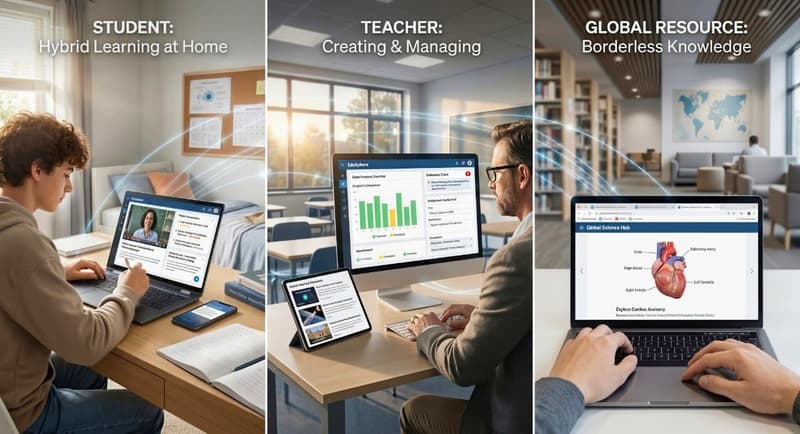
Education technology has moved far beyond basic online classes. Today, learning apps connect students, teachers, parents, and schools in one shared digital world. Homework, lessons, notes, and resources now live in the cloud, making access easy across devices.
Hybrid learning is now common. Students learn at school and continue at home using apps. Teachers create lessons, assign work, share videos, and check student progress using these tools. Parents can monitor learning, support daily tasks, and connect with teachers through online platforms.
Global access has also improved. A student in one country can learn science, history, or math from top learning resources created anywhere in the world. Google based tools, mobile apps, and cloud systems support learning across borders.
How Apps Are Transforming Student Learning
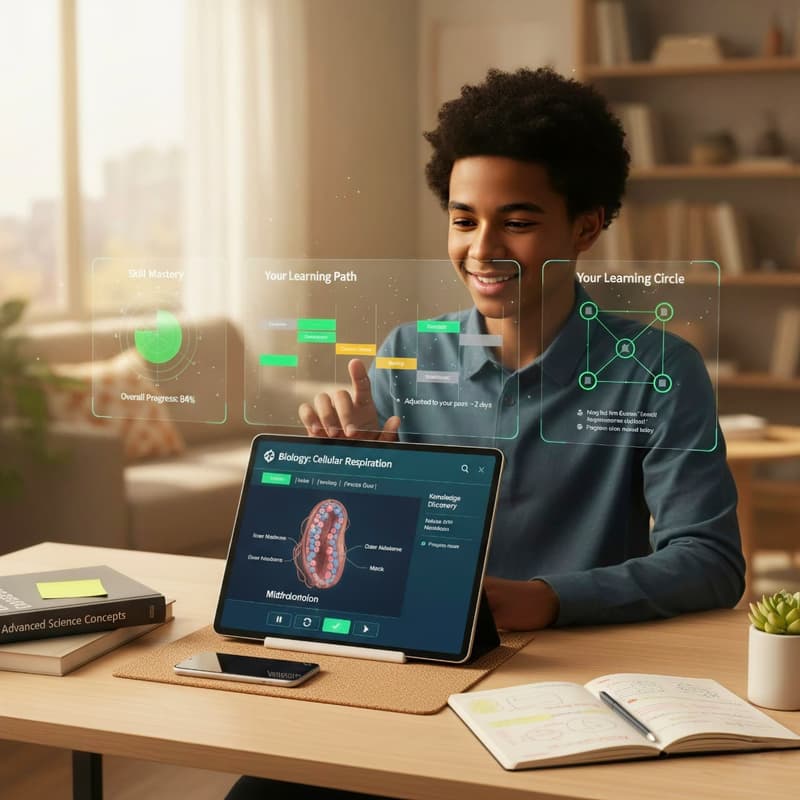
Education apps focus on learning results, not just lessons. They help students understand topics better and remember what they learn. Different formats like videos, games, reading, and practice tasks support different learning styles.
Students can learn at their own pace by pausing, repeating, or moving ahead when ready. This lowers stress and builds confidence. Many apps also help students explore topics beyond the classroom and find useful information easily.
Progress tracking shows students what they know and where they need help. Teachers can adjust lessons, and parents can see how their child is doing. This makes learning more connected and effective.
Homework Helper Apps: Your Academic Lifeline
Homework helper apps give students quick help when they need it. They reduce confusion, save time, and make lessons easier to understand, so students don’t feel stuck.
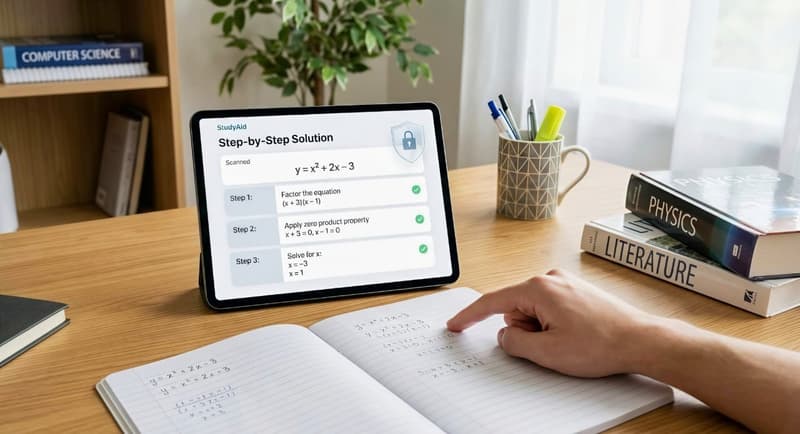
These apps support math, science, writing, and reading. Many explain answers step by step, helping students learn instead of just finishing homework.
For parents, these apps offer peace of mind. They know their kids have safe and secure support. For teachers, homework apps reinforce classroom lessons. For students, they are an academic lifeline that supports learning without pressure.
Before choosing a homework helper app, it's important to understand the key features that set each option apart.
Top Homework Assistance Tools
Homework assistance tools now come in many forms. Some focus on instant answers, while others act as tutors that guide learners through challenges. The best apps balance speed with clear explanations.
These tools support students across classes, from school to college. They help manage assignments, practice problems, and prepare for exams. With user friendly interfaces and mobile access, students can use them anytime on their phone or tablet.
AI-Powered homework solvers
AI powered homework solvers use artificial intelligence to analyze questions and provide accurate answers. More importantly, they explain the logic behind each solution. This supports true learning and knowledge building.
These apps use machine learning to improve over time. They understand patterns in student mistakes and adjust explanations. This makes them useful for math, science, and even computer science tasks.
Step-by-step problem breakdown apps
Some apps focus on teaching the process. They break problems into simple steps and explain each one clearly. This is ideal for math, physics, and chemistry, where understanding the method matters most.
These apps improve problem solving ability and build confidence. Students learn how to approach challenges, not just how to finish them.
Subject-specific homework helpers
Subject focused apps specialize in areas like math, science, writing, or history. They offer deep support, practice tasks, and subject based resources.
For example, reading apps help children learn to read and engage with kids books, supporting early literacy development and improving reading comprehension, while writing apps support grammar and structure. Science apps offer experiments and videos. These focused tools help students master individual subjects.
Features to Look for in Homework Apps
Not all apps offer the same value. High quality apps support the full learning process, not just quick answers. The best app helps students understand key concepts, practice skills, and manage assignments easily.
Instant problem solving
Speed matters. Students often use homework helper apps when they feel stuck or when they have less time. Instant problem solving gives quick responses without skipping steps. Great apps explain how they get to the answer. This boosts knowledge and builds confidence. This is useful for math, science, and computer science, where logic matters. Speed should never replace learning. The goal is clarity, not shortcuts.
Detailed explanations
Clear explanations separate strong apps from basic tools. Detailed explanations help students understand why an answer works. This improves reading comprehension and supports long term learning. Students can review lessons, notes, and examples to reinforce understanding. Teachers also trust apps that focus on concept clarity.
Multiple subject coverage
One app that supports many subjects saves time and effort. The best homework helper apps cover math, science, writing, history, and reading. This helps students manage daily tasks in one place. Parents and teachers also prefer fewer tools that work well together. Multi subject coverage supports different learning needs across grade levels.
Other things that add value
Top apps offer more than basic help. They may include practice games, videos, kids’ books, and extra learning resources. Some help students track progress, manage tasks, or connect with other learners. Others support creativity by letting students make notes or study guides. These features turn a basic app into a strong learning tool.
Student Study Apps: Mastering Your Learning Strategy
Student study apps help learners plan, organize, and review their work. They keep assignments, notes, and goals in one place for school, college, or online courses.
These apps reduce stress by giving students structure. Reminders and simple plans help them stay on track. Some apps also support creative work like writing, visuals, or projects, which makes learning more engaging.
Parents and teachers like these tools because they help students build steady study habits. Students also learn useful skills such as managing time and staying focused.
Productivity and Study Management
Good study management leads to better results. Apps help students set goals, organize tasks, and manage lessons, which builds routine and focus.
Productivity apps help with daily planning and long-term goals. Breaking work into small steps makes progress easier to track and keeps students motivated.
Time management apps
Time management apps help students plan schedules, assignments, and exam prep. They send reminders and alerts to keep tasks on track. These tools are useful on mobile devices, where students already spend time.
By organizing lessons and practice sessions, students avoid last minute stress. This improves productivity and supports better learning outcomes.
Note-taking and organization tools
Digital notes are easier to manage. Note apps support text, images, audio, and video, with cloud access from school or home. Organized notes make revision easier by helping students search topics, review lessons, and connect ideas.
Flashcard and memory enhancement apps
Flashcard apps improve memory through regular practice and recall. They adjust questions based on progress and work well for vocabulary, formulas, and key ideas. These tools help students build strong study habits across subjects.
Smart Study Techniques
Modern study apps go beyond storage. They guide students on how to study better.
Pomodoro technique apps: Short focus sessions with breaks improve attention and reduce burnout. These apps help students stay focused during study time.
Collaborative study platforms: Collaborative platforms let students connect, share notes, and support each other. This builds community and encourages peer learning.
Progress tracking tools: Progress tools show what is working and what needs more practice. Clear data helps students and parents make better learning decisions.
AI Learning Apps: The Future of Personalized Education
AI learning apps are shaping the future of education. They adapt lessons in real time based on student performance. This creates a personalized learning experience for every learner.
Using AI and ML, these apps analyze data to understand strengths and challenges. This leads to faster improvement and better results. AI apps support students, teachers, and schools by making learning more responsive.
Adaptive Learning Technologies
Adaptive systems adjust lesson difficulty automatically. If a student struggles, the app slows down and offers support. If the student improves, the app increases the challenge. This keeps learning balanced and effective.
Personalized learning paths
Personalized paths guide students through lessons based on ability and progress. This helps learners focus on gaps and build skills step by step. It also supports different learning speeds.
Intelligent tutoring systems
AI tutors act like one on one teachers. They explain concepts, answer questions, and guide practice. This support is helpful outside the classroom, especially for complex subjects.
Skill gap analysis apps
Skill gap apps identify weak areas before exams. Students can focus practice where it matters most. This saves time and improves confidence.
AI-Powered Learning Features
Advanced features include real time feedback and customized recommendations. Some apps also track motivation and focus levels. Others help users create content like study notes or lesson summaries. These features improve the overall learning experience.
Digital Learning Tools: Beyond Traditional Education
Digital learning tools go beyond homework and exams. They focus on experience, exploration, and creativity. Many tools are free, which makes education more accessible.
These tools support learning across subjects and age groups. They help students discover knowledge in new ways.
Interactive and Immersive Learning
Immersive learning increases engagement. When students interact with content, they understand it better. This approach supports active learning and curiosity.
Virtual Reality Educational Experiences
Virtual reality tools offer labs, history tours, and science simulations. Students explore safely and gain real world understanding without risk.
Augmented Reality Study Tools
AR tools overlay digital content onto physical spaces. This supports visual learning and makes lessons more engaging.
Interactive Simulation Platforms
Simulation platforms allow hands on practice. They are useful for science, engineering, and problem solving. Students learn by doing.
Technological Innovations in Learning
Key innovations include cross platform access, offline learning, and cloud based resources. These features support seamless integrations across devices and environments.
Best Education Apps for Students: Comprehensive Solutions
Parents and students often prefer fewer apps that do more. The best education apps for students offer complete solutions in one place.
All-in-One Learning Platforms
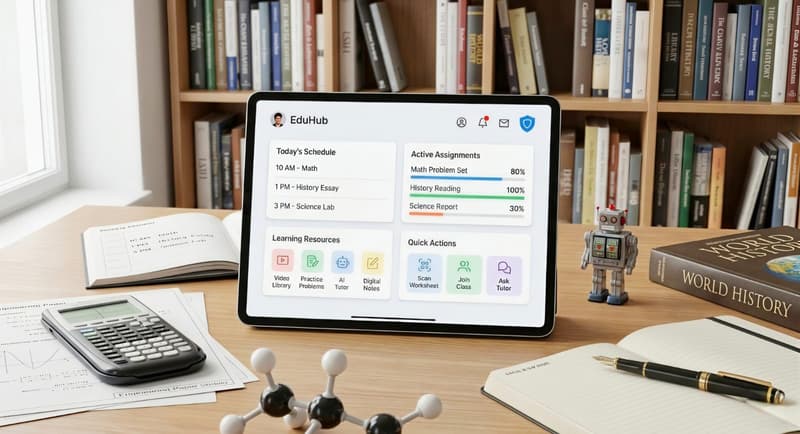
All in one platforms reduce app overload. They combine lessons, practice, notes, and progress tracking. This makes learning easier to manage.
Integrated learning ecosystems: Integrated ecosystems support teaching, learning, and review. Teachers can post lessons and assignments. Students can practice and track results.
Multi-subject support apps: Multi subject apps help students handle different classes. They are useful for busy schedules and varied curricula.
Universal learning assistants: Universal assistants support learning across tasks. They help manage schedules, discover resources, and answer questions.
Criteria for Selecting Top Educational Apps
When choosing an app, focus on a user friendly interface and clear educational value. Check cost and access options, including free tools. Data privacy is critical. Some apps ask for a phone number during sign up. Users should ensure personal data is secure and only shared with trusted apps. Secure platforms protect users, especially kids, and support safe learning.
Special Needs Support: Inclusive Learning for Every Student
Inclusive learning is key in today’s education. It helps every student, no matter their ability, succeed in class and beyond. Digital learning tools and new apps give students with special needs better access to resources. These resources fit their unique learning styles. These tools help students engage with lessons, develop new skills, and participate in their education, no matter their challenges. Digital learning offers flexible solutions. This helps break down barriers and makes education more fair for everyone.
Key Features in Education Apps for Accessible Learning
Today’s education apps focus on accessibility. Text-to-speech helps students who struggle with reading or have vision issues. Adjustable fonts and high-contrast modes make content easier to see. Speech-to-text and predictive text support students who find writing difficult. These tools help all students take part and learn with confidence.
Best App Solutions for Diverse Learning Needs
Many apps are made for students with different learning needs, including autism, ADHD, or physical disabilities. These apps adjust lessons to match each student’s pace and learning style. Apps like Khan Academy Kids use games and activities to teach math, science, and reading. Simple design and easy access help students stay focused and enjoy learning, no matter their ability.
Teaching Tools That Support Neurodiverse and Differently-Abled Learners
Supporting neurodiverse and differently-abled students takes the right mix of tools, accessible content, and inclusive teaching. Teachers can use platforms like Google Classroom to share assignments easily. They can also use tools like text-to-speech for better access. This helps students stay organized, keep up with their work, and learn at their own speed.
Some learning apps, such as Coursely.ai and SymbioLearn, offer lessons, quizzes, and flashcards that adjust to each student’s needs. These tools give students more control over how they learn. When teachers use these resources in class, they create a space where all students can learn, feel supported, and make steady progress.
Emerging Trends in Educational Technology
Education apps will focus on long-term learning after 2026. Students will use their phones to access lessons, manage homework, and practice skills anytime.
Learning will be more connected. Apps will link schools, homes, teachers, and parents in one system, making it easier to track progress and support students.
Safety will matter more than ever. Secure platforms will protect personal data and keep learning safe for all students.
Future of learning apps
The future of learning apps centers on flexibility, relevance, and skill building. Apps will not only teach subjects like math, science, or history. They will also help students develop creativity, focus, and problem solving ability. Learning will feel more personal and more useful for real life challenges.
AI and Machine Learning advancements
Artificial intelligence and machine learning will continue to improve how apps respond to learners. Apps will study patterns in progress, practice habits, and errors. This helps them offer better lessons and support. In subjects like computer science, apps will guide users through coding logic and key concepts step by step.
Personalization and adaptive technologies
Personalization will become standard. Apps will adjust lessons based on learning needs, pace, and ability. Adaptive tools help students focus on weak areas while moving faster through familiar topics. This saves time and improves confidence.
Holistic learning approaches
Future apps will support the whole learner. Beyond academics, they will help manage stress, focus, and motivation. Learning will include reading, writing, creativity, games, and real world problem solving. This balanced approach supports long term growth.

Practical Tips for Maximizing Educational Apps
Education apps work best when used with purpose. Students and parents should treat apps as support tools, not replacements for thinking or effort. Clear goals and healthy habits lead to better results.
Effective App Integration With Teaching Tools
Good app use starts with balance. Apps should support classroom learning, not replace it. Students can use homework helper apps for practice and clarity, then apply knowledge through writing, notes, and discussion.
Balancing App Use With Traditional Learning
Mix digital tools with books, kids books, and offline practice. Reading on paper still supports reading comprehension. Writing by hand helps memory. This balance improves knowledge retention.
Setting Realistic Learning Goals
Set clear goals for each lesson or course. Focus on progress, not speed. Apps that track tasks and progress help students stay organized and motivated.
Maintaining Digital Well-Being
Too much screen time affects focus. Take breaks. Use apps with a user friendly interface that feels calm and simple. Parents should guide younger kids and review app use often.
Conclusion: Embracing Technology in Education
The Transformative Power of Educational Apps
Education apps help students learn with more confidence. They support understanding, practice, and progress. Homework helper apps reduce confusion, while study tools improve focus and productivity. Students learn at their own pace, and parents and teachers can easily track progress.
Preparing for a Tech-Driven Learning Future
Education apps have changed how students learn and practice. The right tools build skills and confidence, whether for homework help or daily study. Choosing apps with useful features, strong data protection, and real learning value helps families make better choices. As digital learning grows, being flexible and thoughtful will help students succeed.

Comments
Your comment has been submitted